AI-Generated Video Titles, Descriptions & Tags
On-device AI that writes your metadata — so you can focus on creating.
Coming up with the right title, description, and hashtags for every video is tedious. Video Captions uses on-device AI to analyze your transcribed content and suggest all three — privately, without uploading anything.
How It Works
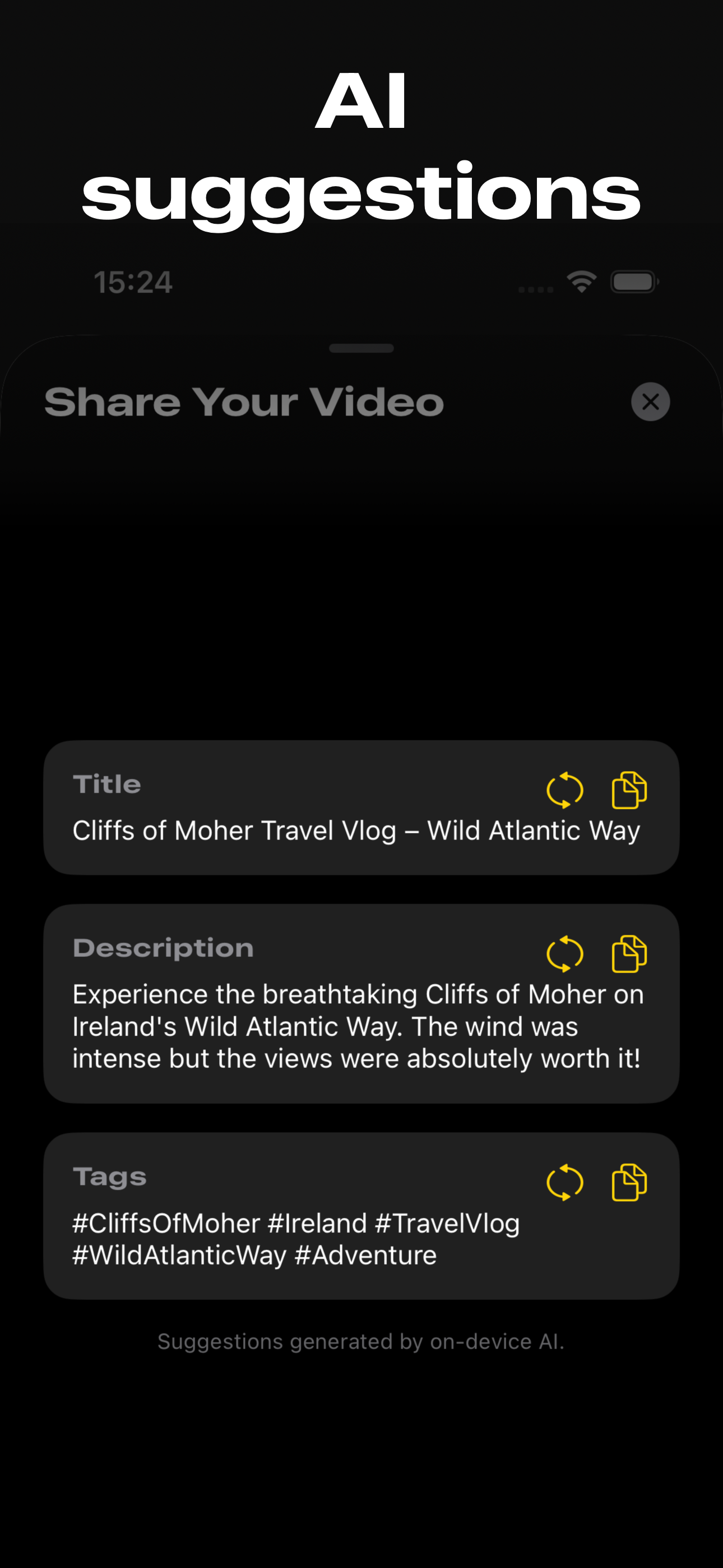
After you caption a video, Video Captions can generate metadata suggestions based on the spoken content. When you're ready to share, the app presents:
- Title — A concise, descriptive title based on what's said in the video
- Description — A summary of the video's content, ready to paste into any platform
- Tags — Relevant hashtags for discovery on Instagram, TikTok, YouTube, and other platforms
Each suggestion has a copy button so you can grab exactly what you need. Use the suggestions as-is, or treat them as a starting point and edit to fit your voice.
Why This Matters for Creators
Save time on every post
Writing metadata for every video adds up. If you post daily, that's hours per month spent on titles and descriptions alone. AI suggestions give you a solid first draft in seconds.
Better discoverability
Good metadata helps your content get found. The AI analyzes the actual spoken content of your video — not just a thumbnail or filename — so the suggestions are specific and relevant to what you actually said.
Consistent hashtag strategy
The AI generates hashtags based on the topics discussed in your video. This means your tags accurately reflect your content, which helps platforms recommend your videos to the right audience.
Completely private
The AI runs on your device. Your video content, transcription, and generated metadata are never sent to a cloud service. This is particularly important for creators working with sensitive, unreleased, or client content.
Example
In the screenshot above, the AI analyzed a travel vlog about the Cliffs of Moher and generated:
- Title: "Cliffs of Moher Travel Vlog — Wild Atlantic Way"
- Description: "Experience the breathtaking Cliffs of Moher on Ireland's Wild Atlantic Way. The wind was intense but the views were absolutely worth it!"
- Tags: #CliffsOfMoher #Ireland #TravelVlog #WildAtlanticWay #Adventure
All generated from the spoken content — no manual input needed beyond captioning the video.
Download Video Captions — FreeFrequently Asked Questions
How does Video Captions generate titles and descriptions?
On-device AI analyzes the transcribed speech from your video. Based on the content, it suggests a title, a description, and relevant hashtags — all generated locally on your iPhone.
Does this feature upload my video to a server?
No. The AI runs entirely on your device. Your video, audio, and transcription are never sent to any server. The suggestions are generated locally using on-device intelligence.
Can I edit the suggestions?
Yes. Each suggestion can be copied and edited. They're a starting point — use them as-is or adjust to fit your style and platform.
What platforms are the suggested tags useful for?
The generated hashtags work for any platform — Instagram, TikTok, YouTube, Twitter/X, or anywhere that uses hashtags for discovery.
Does it work in languages other than English?
The AI generates suggestions based on the transcribed content, so it works with any language the app can transcribe. The output quality may vary by language.